Prices were checked at the time of writing and may change. Check the retailer for current pricing.
The terms get used interchangeably, but they describe different things. A launch monitor is a sensor that measures ball and club data. A golf simulator is a complete system that lets you play virtual golf courses indoors. The launch monitor is a component inside the simulator, not the same thing as the simulator itself. Understanding this distinction changes how you plan your budget and what you buy first.
QUICK VERDICTS
- Buy a launch monitor first if: You want data at the range, your space is not dedicated to a simulator, or your budget is under $2,000. The Garmin R10 or FlightScope Mevo Gen2 gives you data-driven practice without committing to a full setup.
- Buy a full simulator first if: You have a dedicated room, your primary goal is virtual course play, and your budget covers the full system. A Foresight GC3 or SkyTrak ST Max package with enclosure and projector is the right starting point.
- They work together: Every golf simulator contains a launch monitor at its core. When you buy a simulator package, the monitor is included. When you buy a monitor first, you can add the simulator components later.
What Is a Launch Monitor?
A launch monitor is a device that measures what happens when a golf club strikes a ball. It captures data at the moment of impact and during the initial ball flight, using radar, cameras, or a combination of both to measure parameters like ball speed, launch angle, spin rate, carry distance, smash factor, and club head speed.
Some monitors measure only ball data. Others add club data: face angle at impact, attack angle, dynamic loft, and path. The number and accuracy of parameters varies significantly by price and technology type.
A launch monitor on its own is a data tool. You can take it to the range, set it beside the ball, and get shot data for every swing. Many serious practice golfers use a launch monitor this way, indoors or outdoors, without any simulator setup at all. The data drives practice decisions: carry distance by club, spin rate trends, smash factor consistency.
What Is a Golf Simulator?
A golf simulator is a complete system that combines a launch monitor with a hitting screen, a projector, simulation software, and usually an enclosure and hitting mat. When you hit a ball into the screen, the launch monitor captures the shot data, and the software uses that data to calculate where the ball would go on a virtual course, displaying the result on the screen in real time.
The launch monitor is the brain of the simulator. The rest of the components, screen, projector, software, and enclosure, are the display and structure around it. A simulator setup requires all of these components working together. A launch monitor alone does not make a simulator.
Complete simulator packages start around $3,000 for entry-level setups with a basic net and monitor, and run well past $30,000 for high-end commercial installations with premium ceiling-mounted monitors and professional enclosures.
Buy a Launch Monitor First If...
You primarily want data at the range. Radar monitors like the Garmin R10, FlightScope Mevo Gen2, and Rapsodo MLM2Pro are designed to be portable. They set up in seconds at the driving range and give you shot data for every ball you hit. If range practice with better feedback is your goal, a portable monitor is the right tool and no simulator components are needed.
Your space is not dedicated. A full simulator setup works best in a dedicated room where the screen, projector, and enclosure stay in place. If you are sharing a space with other uses, a launch monitor that you can set up and break down is more practical. A net and a monitor in a room that gets converted back to other uses is a reasonable setup that does not require permanent enclosure installation.
Your budget is under $2,000. At this budget, you can get a solid launch monitor but not a complete simulator package with a quality projector and screen. Spending $499 to $1,299 on a monitor and $200 to $400 on a practice net gives you a functional indoor setup for data-driven ball striking practice, without the full virtual course play experience.
You want to test your space first. Starting with a monitor and net is lower commitment than a full simulator. You can live with the setup for a season, understand your room's real constraints, and make a more informed decision about whether a full simulator investment is right for you.
Buy a Full Simulator First If...
Virtual course play is the primary goal. If you want to play Pebble Beach or St. Andrews in your garage, the monitor alone does not get you there. You need the screen, projector, software, and all the components together. Plan for the full system cost from the start rather than trying to piece it together incrementally.
You have a dedicated room. A permanent simulator setup in a room built for it is a different experience than a portable setup. If you have the space and are ready to commit to it, buying a complete package with a quality enclosure and projector is more efficient than buying components separately.
Your budget covers it. A complete, quality simulator setup costs $5,000 to $15,000 for most home buyers at the mid-tier monitor level. If that budget is available and your space is ready, buying a complete package rather than accumulating components is cleaner and usually less expensive than buying each piece separately.
How They Work Together
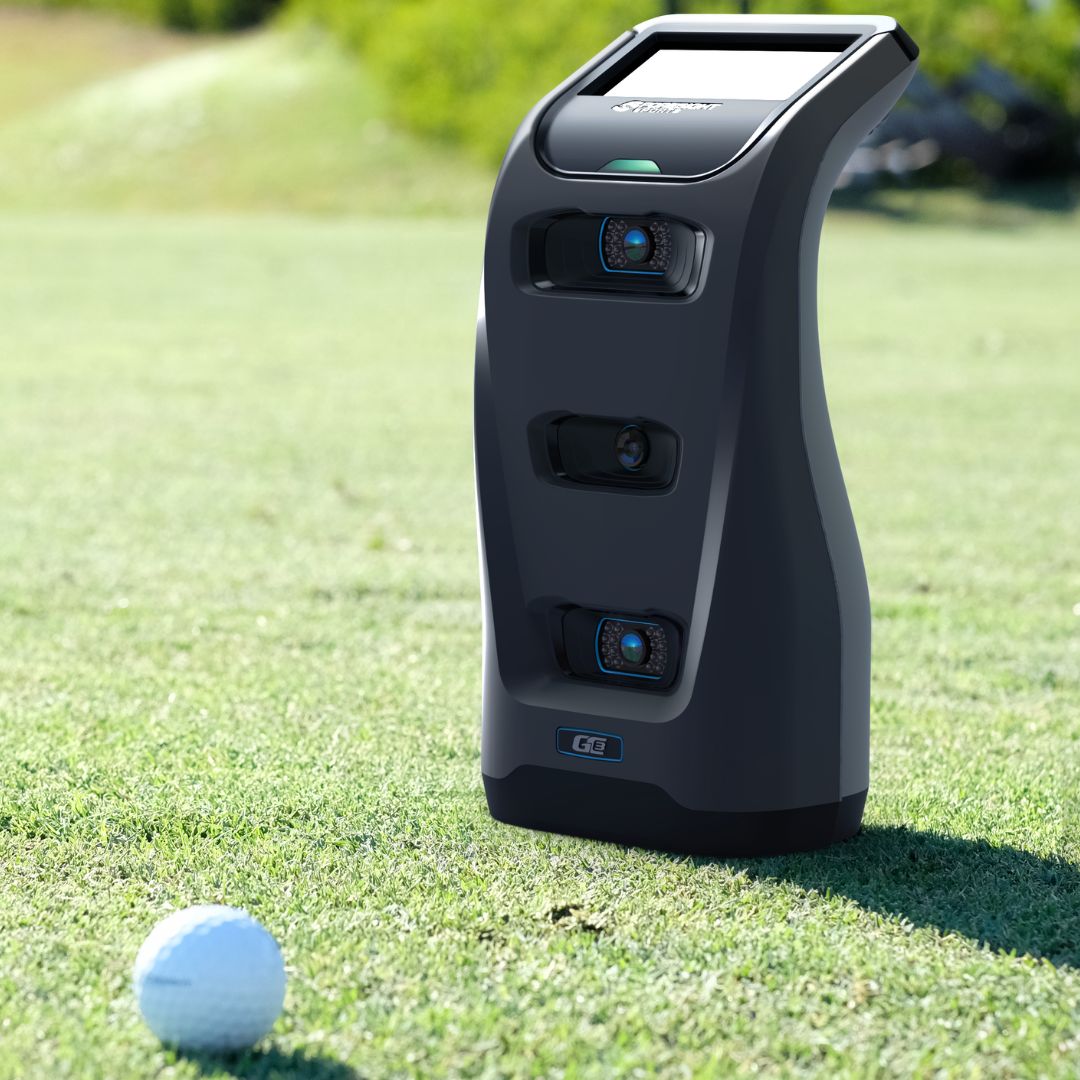
When you see a golf simulator package for sale, the launch monitor is included, often at the center of the package description. A "Foresight GC3 simulator package" includes the GC3 monitor, a compatible enclosure, a projector, a hitting mat, and software licenses bundled together. The GC3 is the launch monitor inside that simulator system.
If you already own a launch monitor, some simulator components can be added around it. A compatible hitting screen and projector, plus a software subscription that your monitor supports, can turn a standalone monitor into a simulator setup. Check software compatibility before assuming your existing monitor works with a specific simulation platform.
Budget Reference
Launch monitor only: approximately $499 to $25,000 depending on technology tier and accuracy level. For most recreational golfers, the $499 to $1,999 range covers meaningful data feedback.
Complete simulator setup: approximately $3,000 to $30,000 or more for home installations, including all components. Mid-tier setups with a Foresight GC3 or SkyTrak ST Max, a quality enclosure, and a short-throw projector run $8,000 to $15,000 fully outfitted.
Use the room size calculator to verify your space before committing to either path.
Recommended Starting Points
For the data-first approach at a reasonable entry price, the Garmin Approach R10 at approximately $499 is the most accessible starting point. Add a practice net and hitting mat for under $700 total, and you have a functional indoor practice setup with meaningful ball data.
For a step up in data quality and the option to use the monitor at the outdoor range as well, the FlightScope Mevo Gen2 at approximately $1,299 includes E6 Connect for virtual course play and covers both indoor and outdoor use. It bridges the gap between pure data practice and simulator play.