The Bushnell Launch Pro is Foresight Sports’ consumer-facing entry into professional launch monitor accuracy. At its price point it promises professional-grade data precision, with the question being whether the subscription model and camera-based system justify the cost. Here’s what published specs, manufacturer information, and owner feedback show.
This review is based on research of published specs, manufacturer information and owner feedback, not hands-on testing.
Prices were checked at the time of writing and may change. Check the retailer for current pricing.
The Bushnell Launch Pro isn’t just a repackaged Foresight GC3; it’s a launch monitor that bridges the gap between amateur and pro golfers. With tour-level accuracy, seamless indoor and outdoor performance, and access to Foresight’s simulation software, this device can transform your practice sessions. But, like most things, it’s not perfect, and those subscription fees can be a deal-breaker for some.
If you’re considering the Bushnell Launch Pro, here’s the review you’ve been waiting for. Let’s dig into its accuracy, usability, software, and whether it’s the right fit for your setup.
First Impressions: Is the Bushnell Launch Pro as Premium as It Feels?
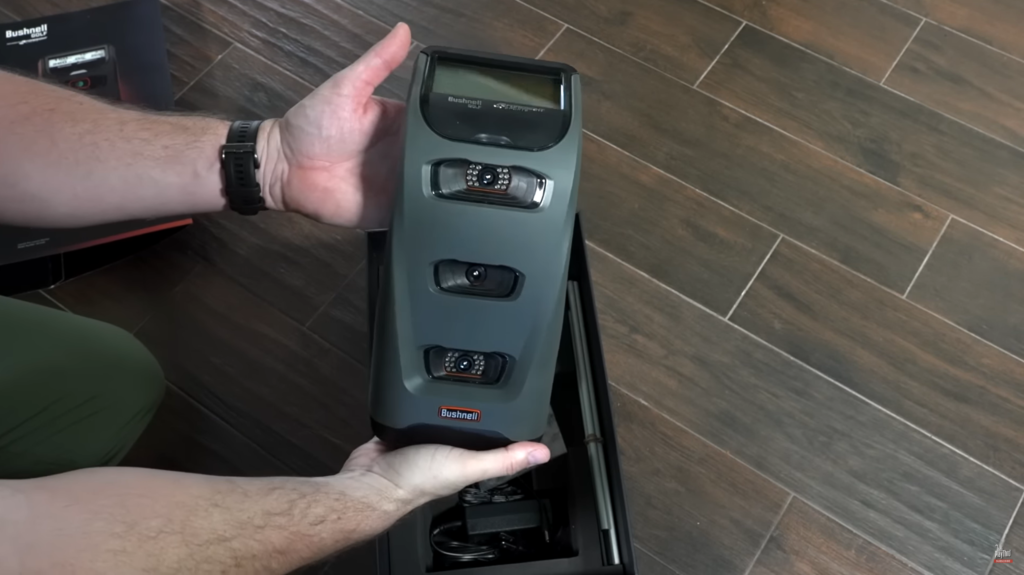
Unboxing the Bushnell Launch Pro felt like cracking open something truly premium. Everything was thoughtfully packed, organized perfectly, and the device itself instantly gave off a solid, high-quality vibe.
The upward-facing LCD screen displays shot data immediately after each swing, without requiring a phone or laptop. It functions both indoors and outdoors.
However, portability is where the Launch Pro stumbles a bit. It doesn’t come with a carrying case, and while the screen doubles as a handle, the shape is awkward to transport. For something this expensive, you’d expect Bushnell to throw in a custom case. If you’re moving between indoor and outdoor setups regularly, plan on investing in a third-party bag or case.
Setting Up the Bushnell Launch Pro: Simple and Intuitive
Setting up the Bushnell Launch Pro is described by Bushnell as straightforward, with their product page noting that setup is easy. After powering on the device, the built-in LCD screen walks you through the initial setup step by step.
First, you’ll connect the Launch Pro to WiFi. Once connected, the screen displays a QR code that you scan with your phone to create an FSX Live account. From there, you select your subscription tier, and the device updates automatically. Within minutes, the Launch Pro was ready to go, fully functional and calibrated.
Positioning the device for use is another area where it excels. Unlike radar-based monitors, which often require tedious alignment behind the hitting zone, the Launch Pro’s triscopic camera system sits just in front of the ball. Using the included reflective alignment stick, you can ensure perfect positioning in less than a minute. The device even lets you know if the ball is out of range or misaligned, saving you from wasted swings.
The Launch Pro connects to Foresight’s software (FSX Play, FSX 2020, or FSX Pro) via WiFi or USB-C and is designed for use both indoors and outdoors.
What Data Does the Bushnell Launch Pro Track?
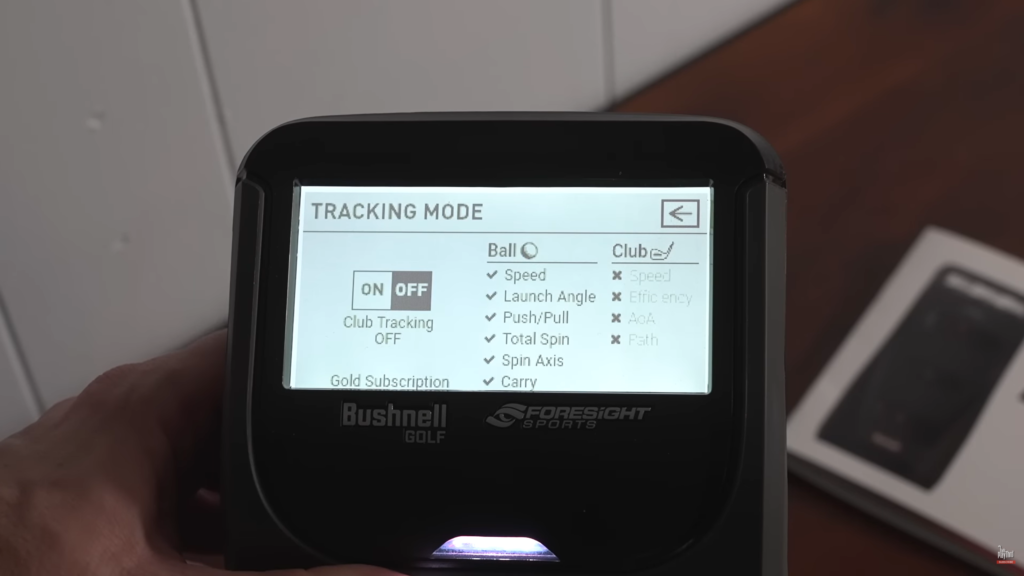
The Bushnell Launch Pro tracks a comprehensive range of ball and club metrics, giving golfers insights that rival those of tour-level launch monitors. Thanks to its triscopic camera system, the Launch Pro captures high-speed images at impact, translating them into precise data points that help you analyze and improve your game.
Here’s the full breakdown of what the Launch Pro measures:
Ball Data Metrics
- Carry Distance: The exact distance your ball travels through the air before landing.
- Ball Speed: The speed of the ball immediately after impact.
- Total Spin: Tracks the overall spin rate, including backspin and sidespin.
- Vertical Launch Angle: The angle at which the ball leaves the clubface vertically.
- Horizontal Launch Angle: The direction of the ball’s flight relative to the target line.
- Spin Tilt Axis: Indicates the spin direction, helping identify hooks or slices.
- Back Spin: Measures the backward rotation of the ball.
- Side Spin: Tracks the lateral rotation of the ball, which influences curvature.
Club Data Metrics (With Subscription)
- Clubhead Speed: The speed of the clubhead at the moment of impact.
- Smash Factor: A measure of how efficiently energy transfers from the club to the ball (calculated as ball speed divided by clubhead speed).
- Club Path: Tracks the direction of the clubhead’s movement through the ball.
- Angle of Attack: Measures whether the clubhead is striking the ball on an upward or downward trajectory.
These metrics give you a 360-degree view of your swing, helping you pinpoint strengths and weaknesses. For example, spin tilt axis and side spin reveal why your shots might be veering off target, while smash factor and club path can help fine-tune your efficiency and consistency.
How Accurate is the Bushnell Launch Pro?
What sets the Bushnell Launch Pro apart from most launch monitors in its price range is how consistently accurate its data is, whether you’re hitting indoors or outdoors.
Here’s a breakdown of the key performance metrics during testing:
7-Iron Test:
- Carry Distance: 164 yards (±0.5 yards variance compared to the GC3)
- Spin Rate: 6,150 RPM (within 1% accuracy of the GCQuad)
- Launch Angle: 18.5 degrees (perfectly consistent across multiple shots)
- Ball Speed: 120.2 mph
Driver Test:
- Carry Distance: 284 yards (±0.7 yards variance compared to GC3 and Trackman)
- Spin Rate: 2,850 RPM
- Launch Angle: 11.8 degrees
- Ball Speed: 161.4 mph
The numbers don’t lie. The Bushnell Launch Pro delivered results that were nearly identical to the Foresight GC3, which is considered the gold standard in this price bracket. Even when testing outdoors on uneven grass, the device captured data with remarkable consistency, showing no significant drop in accuracy.
For chips and putts, the Launch Pro covers short-game shots including chip work.
Can You Use the Bushnell Launch Pro Without a Subscription?
Technically, yes, but you’ll be limited. Without a subscription, the Launch Pro only provides basic ball data: carry distance, ball speed, and spin metrics. While this is fine for casual practice, it’s not enough for golfers who want to dive deep into their performance data.
Here’s the breakdown of subscription tiers:
- Basic Tier ($99/year): Includes ball data and access to the FSX Pro iPad app.
- Silver Tier ($399/year): Includes total distance, offline distance with FSX 2020 or FSX Pro.
- Gold Tier ($499/year): Unlocks full club data and FSX Play, plus 10 golf courses.
- Unlocked Option: No subscription required but comes with a much higher upfront cost, similar to the GC3.
The Gold Tier ($499/year) provides both ball and club data. Club metrics include smash factor, club path, and angle of attack.
What Software is Compatible with the Bushnell Launch Pro?
The Bushnell Launch Pro integrates seamlessly with Foresight’s software suite, offering options for both practice and simulator play. It also supports third-party software, giving golfers even more flexibility to customize their experience.
FSX Play: Stunning Graphics and Immersive Gameplay
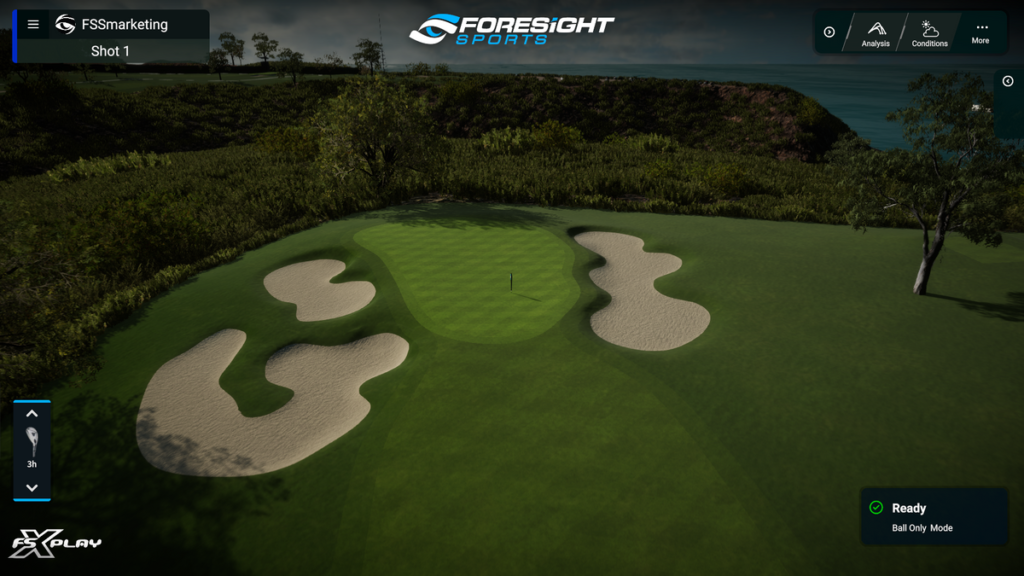
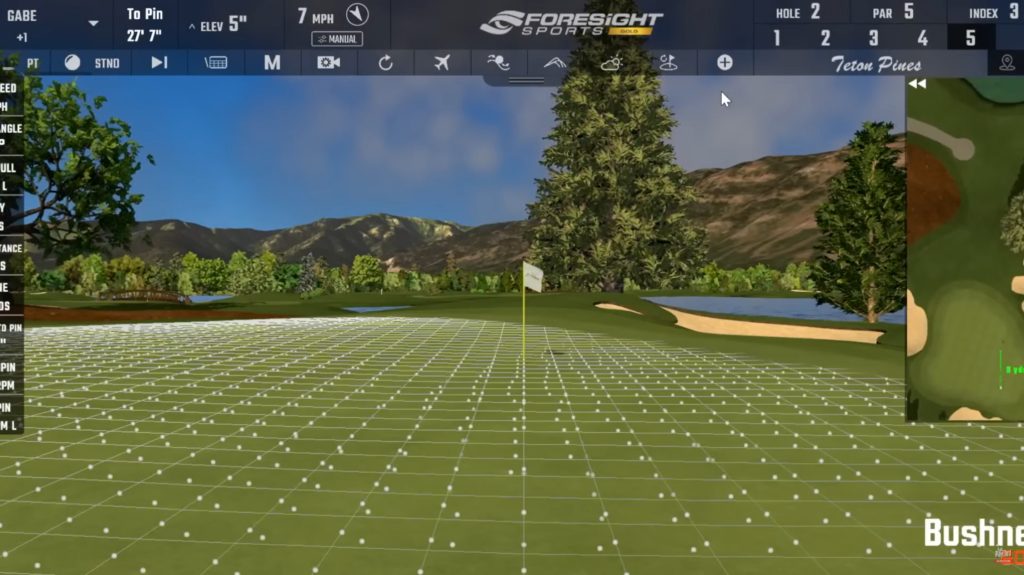
FSX Play is Foresight’s flagship simulation software, known for its top-tier visuals and realistic course environments. Whether you’re playing iconic courses like Pebble Beach or honing your skills on a virtual driving range, FSX Play creates an immersive experience that feels like you’re standing on the actual course.
While its graphics are unrivaled, FSX Play’s interface could use some minor improvements, like customizable screen elements to better suit unique simulator setups. Still, its high-quality gameplay and seamless integration make it the go-to option for golfers who want the ultimate simulator experience.
FSX 2020: Data-Focused and Reliable
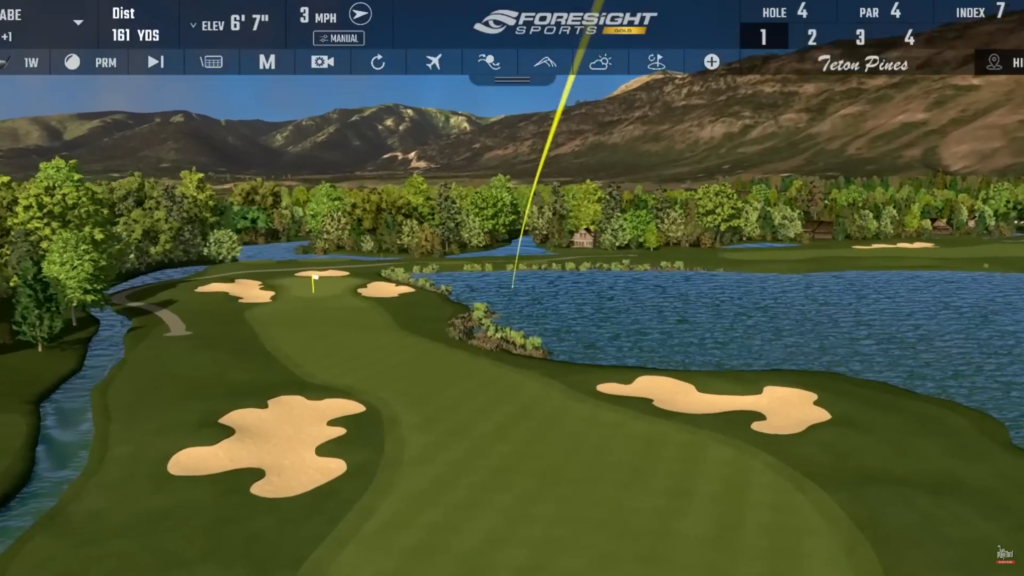
FSX 2020, Foresight’s older simulation software, remains a strong option for golfers who prioritize data and functionality over visuals. The driving range feature is particularly robust, offering in-depth data analysis for every shot. While it doesn’t deliver the visual realism of FSX Play, FSX 2020 excels in helping golfers optimize their performance.
That said, FSX 2020 is gradually being phased out in favor of FSX Play, so additional updates may become limited in the future. However, for now, it’s a great tool for data-driven players who want to focus on improving their game.
Third-Party Software: Affordable Flexibility
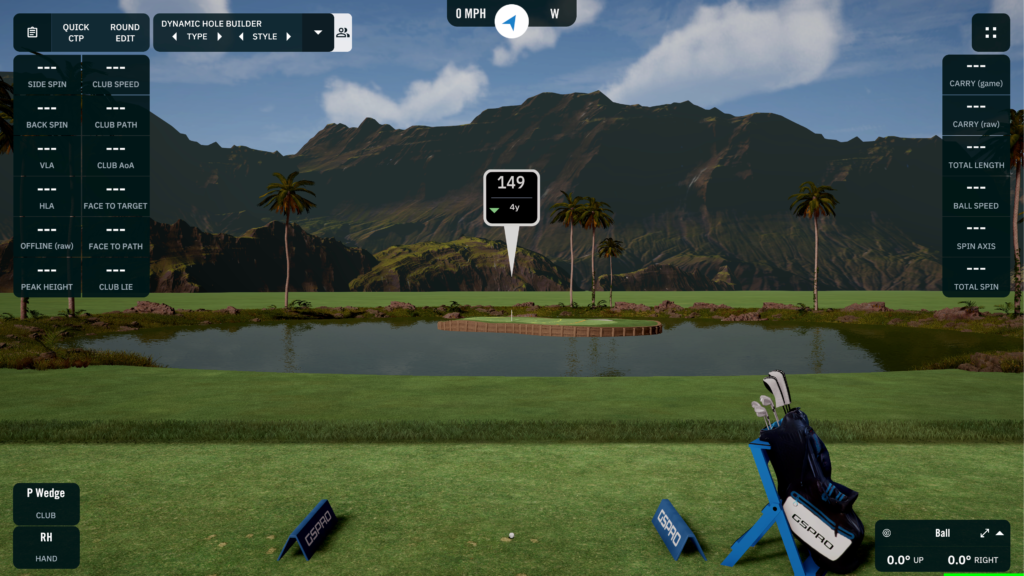
For golfers seeking even more options, the Bushnell Launch Pro is compatible with third-party software like GSPro, E6 Connect, and others. These platforms provide budget-friendly alternatives to Foresight’s offerings, with features such as extensive course libraries, online community access, and realistic gameplay.
GSPro, for example, offers hundreds of user-created courses for just $250 per year, making it a popular choice for golfers who want to expand their simulator experience without breaking the bank. Similarly, E6 Connect provides a polished interface and versatile features that pair well with the Launch Pro’s capabilities. Whether you’re looking to save on subscription fees or explore additional course options, third-party platforms broaden the appeal of the Launch Pro.
How Does the Bushnell Launch Pro Perform Indoors?
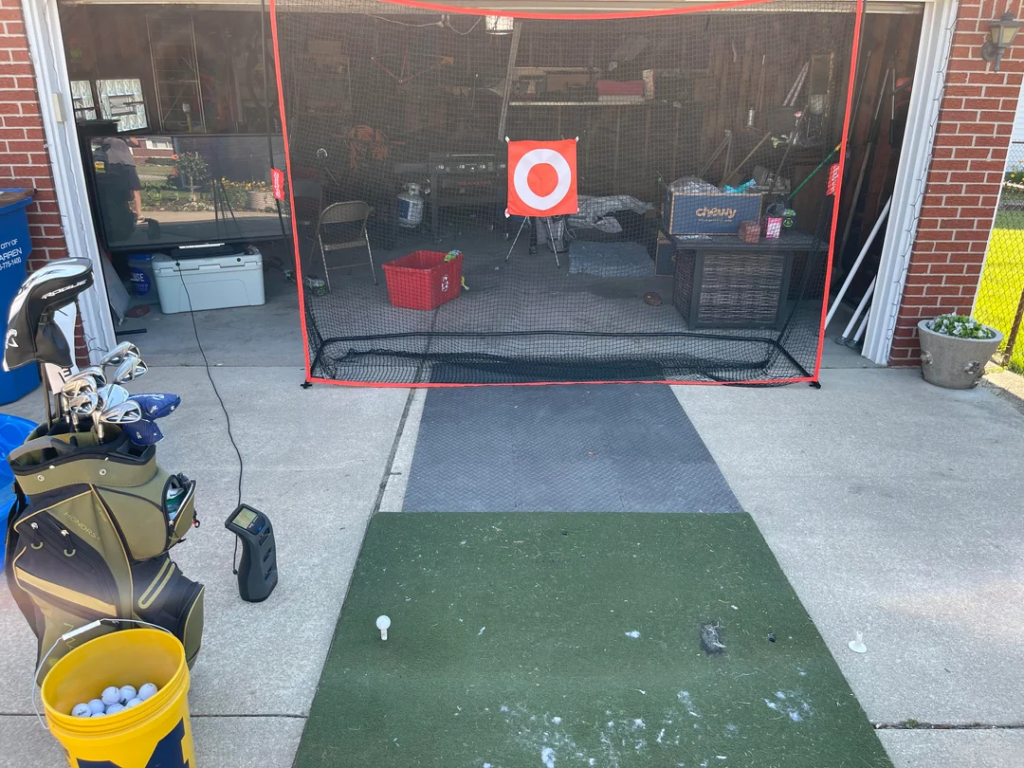
If you’re building a home golf simulator, the Bushnell Launch Pro is one of the best options available. Unlike radar-based systems that require significant space, the Launch Pro only needs 10 feet of depth, 10 feet of width, and 9 feet of ceiling height. This makes it perfect for garage setups or smaller simulator spaces.
Is the Bushnell Launch Pro Good for Outdoor Use?
On the range, the Bushnell Launch Pro continues to impress. Its camera-based system doesn’t rely on ball flight distance, so it performs just as well on natural grass as it does on mats. This consistency is a major advantage over radar-based monitors, which can struggle with short ball flights in outdoor settings.
The built-in LCD screen is especially useful outdoors. It provides instant feedback, so you don’t have to pull out your phone or laptop mid-session. Shot data is displayed in the Foresight app after each swing, covering both ball metrics and club metrics.
The only drawback? Battery life. With 5-7 hours of runtime, it’s sufficient for most range sessions but can fall short if you’re combining outdoor practice with indoor simulation on the same day.
How Does the Bushnell Launch Pro Compare to Other Launch Monitors?
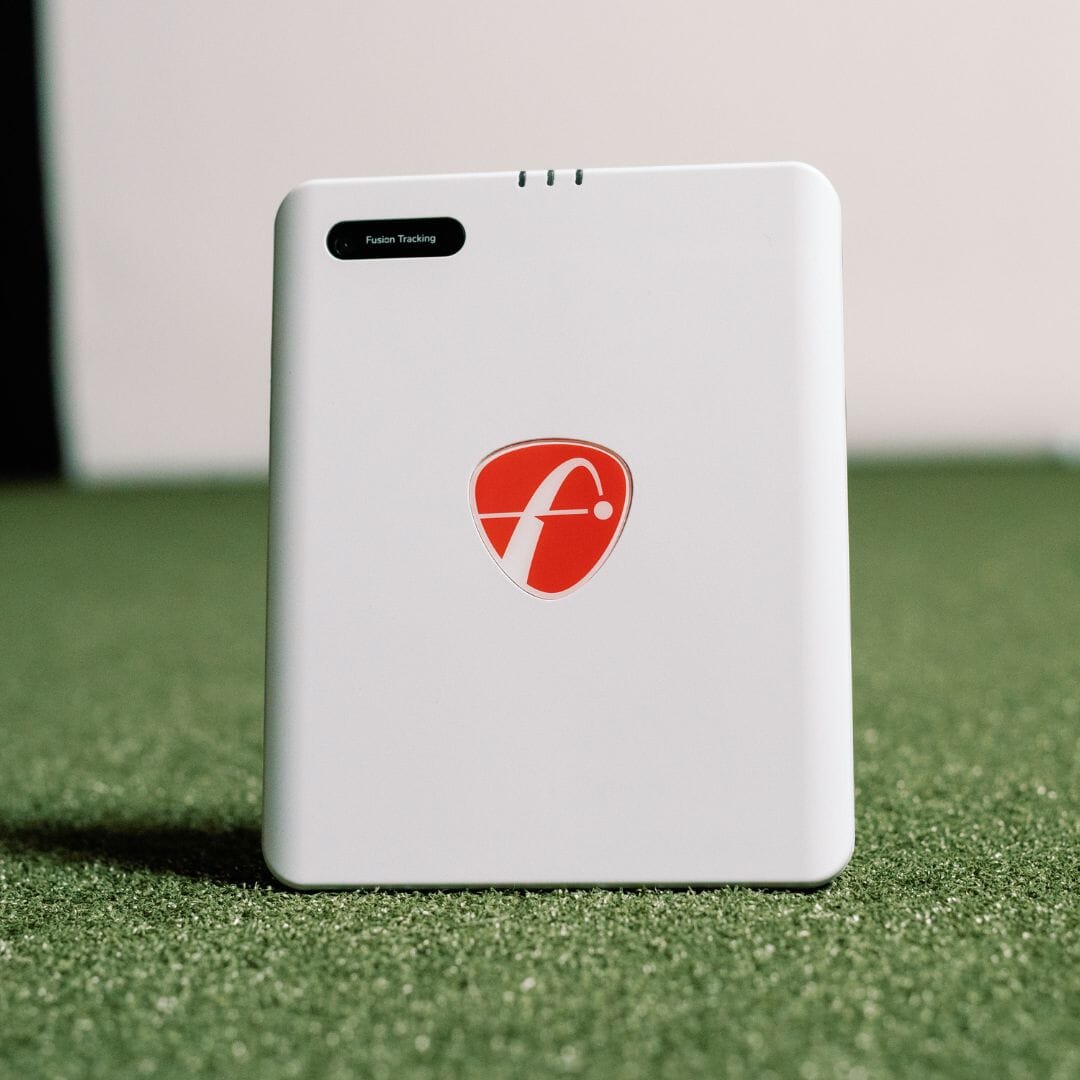
The Bushnell Launch Pro’s closest competitor is the Foresight GC3, and for good reason: they share the exact same hardware. The GC3 is the same technology base as the GCQuad trusted by Bryson DeChambeau, scaled down to a more accessible price point. The GC3 is fully unlocked upfront, meaning no subscriptions are required, making it a better choice for long-term users. However, the Launch Pro’s lower entry cost makes it accessible to a wider audience, particularly golfers who don’t mind paying for a subscription.
Compared to the SkyTrak+, the Launch Pro is miles ahead in terms of accuracy and features. The SkyTrak+ is better suited for casual golfers or those on a budget, as it doesn’t offer club data or the same precision on spin metrics. It’s an entry-level monitor, whereas the Launch Pro caters to players who demand more advanced data.
The Mevo Plus, meanwhile, excels outdoors thanks to its radar-based system, which is great for tracking long ball flights. However, it struggles in indoor setups due to space requirements. The Launch Pro thrives in smaller environments, requiring only 10 feet of depth, which makes it a more versatile option for year-round practice.
Frequently Asked Questions
Is the Bushnell Launch Pro the same as the Foresight GC3?
They share the same triscopic camera hardware. The key difference is pricing and subscription model. The GC3 is fully unlocked upfront with no subscription required, making it more cost-effective for long-term users. The Launch Pro has a lower entry price but requires an annual subscription for club data and software access.
Can I use the Bushnell Launch Pro without a subscription?
Yes, but you are limited to basic ball data only: carry distance, ball speed, and spin metrics. Full club data including club path, angle of attack, and smash factor requires the Gold tier subscription at $499 per year, which also unlocks FSX Play with 10 courses.
How much space do I need for the Bushnell Launch Pro indoors?
The Launch Pro requires a minimum of 10 feet of depth, 10 feet of width, and 9 feet of ceiling height. This makes it one of the more space-efficient camera-based launch monitors available, suitable for smaller garages or basement simulator rooms.
Does the Bushnell Launch Pro work outdoors?
Yes, the triscopic camera system performs equally well outdoors on natural grass as it does on indoor mats. Unlike radar-based monitors, it does not rely on ball flight distance to calculate data, so short ball flights outdoors do not affect accuracy.
What third-party software is compatible with the Bushnell Launch Pro?
The Bushnell Launch Pro supports GSPro, E6 Connect, and other third-party platforms in addition to Foresight's own FSX Play and FSX 2020 software. GSPro offers hundreds of community-created courses for $250 per year, making it a popular and affordable pairing.
Final Thoughts: Is the Bushnell Launch Pro Worth It?
The Bushnell Launch Pro strikes a balance between accessibility and pro-level performance. Its camera-based accuracy, seamless software integration, and versatility make it one of the best launch monitors under $3,500. However, the subscription model is a consideration. If you plan to use this device for several years, the Foresight GC3 might save you money in the long run.
If you’re looking for a flexible, high-performance launch monitor that can adapt to both indoor and outdoor use, the Bushnell Launch Pro is hard to beat. Ready to take your game to the next level? It might just be the tool you’ve been waiting for.